
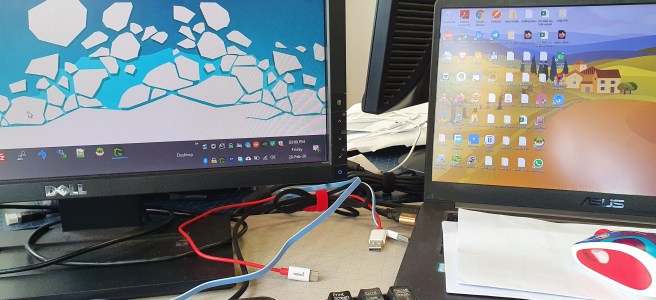
Scenarios: Set the secondary display as main, in Windows "Display settings" (Make this my main display). However, all the desktop icons not moved to secondary display. After applied new Windows theme, somehow all the desktop icons moved back to primary display. Solution: Open the "Desktop Icon Settings" or click Start > search "Themes" > Desktop … Teruskan membaca Fix desktop icons location (move to secondary display)
Tag: Tutorial
Disable bloatware from Apps Settings – S7 Edge (935FD)
I know there are other ways to disable bloatware packages by using app (such as Package Disabler Pro) but... in case if you are (or I am) wondering what apps can be disabled from Settings, here are the list. Just simply go to Settings > Apps > Show systems apps. Tap on these apps (1-by-1) and Disable. com.monotype.android.font.rosemary … Teruskan membaca Disable bloatware from Apps Settings – S7 Edge (935FD)
Move files into folders, sorted by month and day with PowerShell
Notes: Not suitable for folder with sub-folders, such as folder of extracted zip file Recommended to execute on a test environment first Steps: Change the $files and $targetPath values accordingly Copy the modified script and paste into Windows PowerShell Wait The script: # Get the files which should be moved, without folders $files = Get-ChildItem 'CHANGE … Teruskan membaca Move files into folders, sorted by month and day with PowerShell
HyppTV Everywhere WebTV Plug-in
Sekiranya anda mengalami masalah untuk download atau install HyppTV Everywhere WebTV Plug-in, boleh cuba langkah-langkah ini. Objektif Utama: Untuk menonton rancangan TV di internet browser (Firefox / IE / Chrome) menggunakan khidmat HyppTV Everywhere Keperluan: Pengguna Unifi Berdaftar di HyppTV Everywhere Menurut penjelasan dari he.help@tm.com.my, plug-in ini tidak boleh digunakan di internet browser Chrome Masalah: Login di http://hypptv.tm.com.my Disuruh … Teruskan membaca HyppTV Everywhere WebTV Plug-in
Fotografi – Apa itu Shutter Speed, ISO dan Aperture
3 perkara yang sangat penting dan berkait rapat dalam fotografi, digelar "The Three Kings of Photography" atau lebih dikenali sebagai "Exposure Triangle". Ianya perlu difahami sebelum melibatkan diri dalam bidang fotografi. Contoh Exposure Triangle (dari DPreview.com): Jadi, apa itu Shutter Speed? ISO? Aperture? Secara ringkasnya (yang aku faham): Shutter Speed Kiraan atau kelajuan bukaan bilah … Teruskan membaca Fotografi – Apa itu Shutter Speed, ISO dan Aperture
Download all media from WordPress blog
A simple tutorial how to download all media from WordPress blog. The reason I use this method is because, I wanted to transfer all the media specifically from XXX.files.wordpress.com domain into my other web host. And due to limitation of free account users, I couldn't access the media files by using any third party file … Teruskan membaca Download all media from WordPress blog
Post content without featured image header
Baru tambah template baru, "post content without featured image header" di mana semua post yang ada featured image takkan mempunyai header bila post dibaca. Tujuan utama, supaya senang untuk export posts dari sini ke blog http://darwisy.wordpress.com Seperti sedia maklum, plugin tidak boleh ditambah bagi pengguna free account di wordpress.com. Memandangkan kebanyakan featured image dalam blog ini menggunakan image dari … Teruskan membaca Post content without featured image header
WordPress landing page with Supersized
Before I start, Click here if you wish to see it in action! Click here to get some introduction of Supersized Now let's start! First thing first, download this amazing image slider here. In this tutorial, I'll be using the version for Flickr. Second thing, of course you've got WordPress installed 🙂 Part 1, preparing the … Teruskan membaca WordPress landing page with Supersized
How to delete Account Picture in Windows 10
Self note Scenario: Not able to delete or set to default local Account Picture in Windows 10 (Settings > Accounts > Your account > Your Picture). Removed from https://profile.live.com but seems does not affect the local setting. Solutions: Go to "C:Users<USERNAME>AppDataRoamingMicrosoftWindowsAccountPictures" and delete the content(s) or; Go to C:Users<USERNAME>AppDataLocalPackageswindows.immersivecontrolpanel_***TempState then; Back to "Your account" setting, click on "Browse" … Teruskan membaca How to delete Account Picture in Windows 10
WordPress Images ERROR 404
Self note Scenario: Getting reports saying most of WordPress images ERROR 404. In fact, they are exists in /wp-content/uploads/* folders. Solutions: Failed — Disabled certain plugins, disabled all plugins, change uploads folder/files permission, modify .htaccess file, delete .htaccess file, change Permalinks settings to default, etc Success — Switched the PHP Date Format in General Settings from Custom … Teruskan membaca WordPress Images ERROR 404