
Scenarios:
- Set the secondary display as main, in Windows “Display settings” (Make this my main display). However, all the desktop icons not moved to secondary display.
- After applied new Windows theme, somehow all the desktop icons moved back to primary display.
Solution:
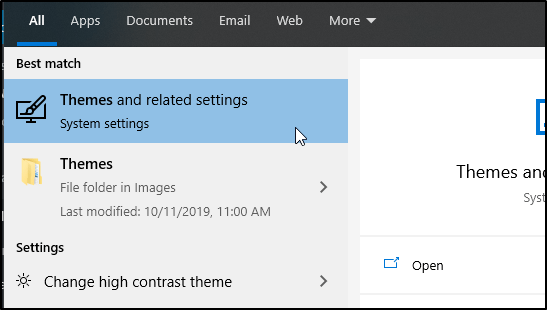
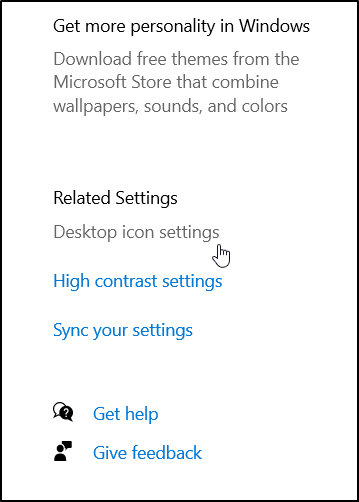
- Open the “Desktop Icon Settings” or click Start > search “Themes” > Desktop icon settings (in Related Settings).
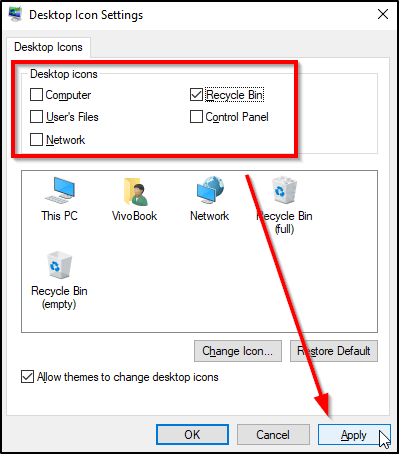
- Recheck any of “Desktop icons”, then click the Apply button.
- All the desktop icons should be moved to secondary display.
 Hilman Family Blog